


AI-powered meal planning that adapts to your family—portion control, picky eaters, and busy schedules solved.
of users found our approach unique and highly useful.
79 %
My Role UX designer
Timeframe: Oct-Dec 2025
Team: 1 PM, 1 front-end, 1 back-end, 1 UX designer (Me)
Led initial user interviews to understand core family meal-planning pain points
Created rapid concept sketches and low-fidelity prototypes to validate the problem space early
Leveraged quick-design tools (e.g., Google Stitches) to explore solutions efficiently before moving into mid-fidelity design
Partnered closely with PM and engineering to ensure concepts were feasible and aligned with project timelines
Google Stitches –used for rapid design exploration and early visual inspiration
Figma – created quick concept mockups and interactive prototypes
Figma Make –built fast, lightweight prototypes for developer alignment
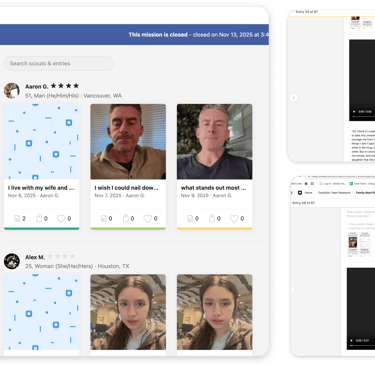
Dscout –conducted qualitative surveys and asynchronous user interviews
Responsibilities
Tools Used
Problem Statement (Why We Did This)
Families struggle to plan meals that everyone in the household will actually eat, while saving time and reducing stress.





How We Discovered the Problem
We uncovered this need through user interviews and by noticing a trend: families using our Task Management and Calendar apps frequently asked for help with meal planning and recipes.


What Families’ Behavior Revealed About Meal Planning
Observation
Families using our Task and Calendar apps often took photos of food at home and asked follow-up questions to plan meals. This behavior revealed a strong, unmet need around meal planning


We saw a clear pattern
Insight
Meal planning is a high-frequency task that gives families a sense of control and confidence. To manage their busy schedules, they adopt any tools that help lighten this mental load.


Task management on the left, calendar on the right.
Storyboards










Children sit at the table, frowning at their plates. Every day is a challenge many parents face—picky eaters and different preferences make meal planning a constant balancing act.
"“I wish I could find all the recipes in one place—it takes so long to search everywhere."
We all have picky eaters at home
Searching for Recipes
Customizing Portions
She has to adjust portions and ingredients to fit the number of people at home. Customizing each meal takes careful attention and extra time.
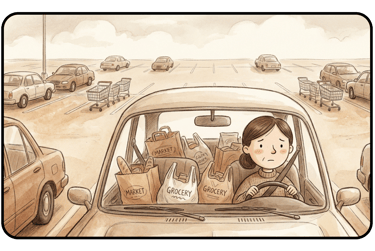
More than one grocery runs
“I wish I didn’t have to run to so many stores just to get all the ingredients.”
Catering to Dietary Needs
Recipes Reliability
She cooks meals that are dairy-free or rich in iron, carefully adjusting dishes to meet everyone’s dietary needs for each meal.
She tastes a dish she prepared from an online recipe, concerned it might not turn out well. Finding trusted recipe sources is challenging, and achieving reliable, tasty results requires extra care.
These illustrations come from real interviews with families and home cooks. They reflect common challenges faced across a variety of households.


Challenges


Most Users Already Know What to Cook
Receipt scanning isn’t useful—users already know what they’re cooking, so they don’t need AI to suggest recipes from their purchases.


AI Needs More Than One Image
Because food is often hidden behind other items, one photo of the fridge or pantry isn’t enough for AI to create an accurate ingredient list.
Making Meal Prep Seamless for Users
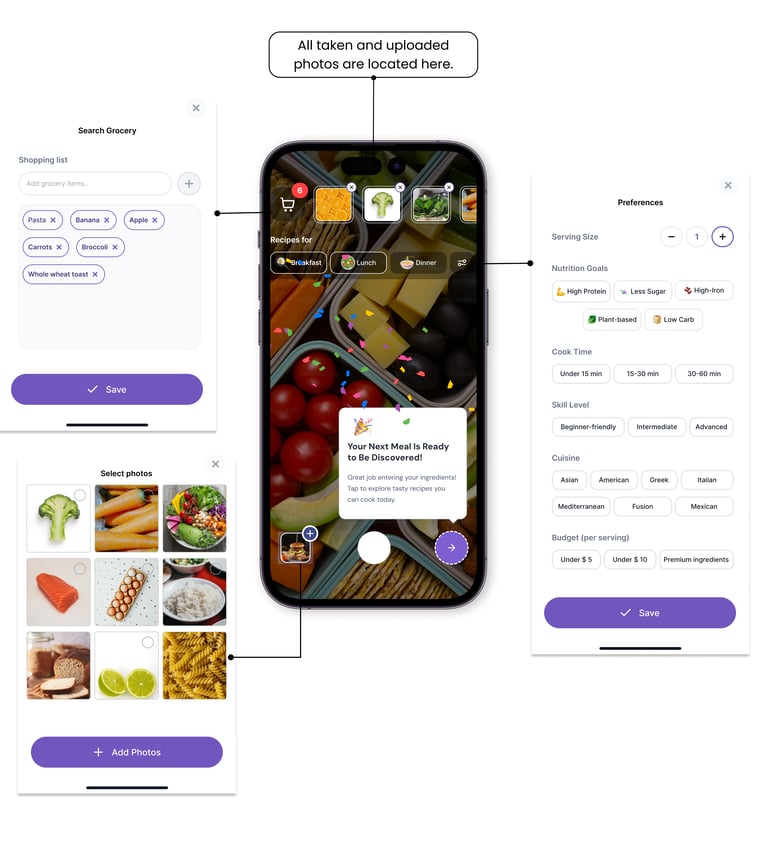
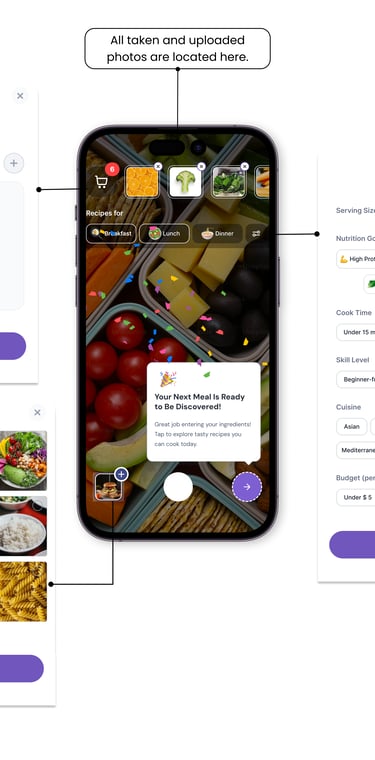
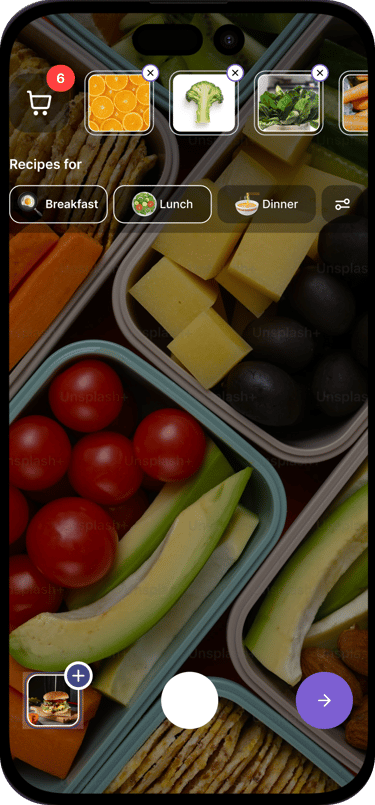
After speaking with target users, the design was updated to reflect their needs, including shopping lists, ingredient images, and recipe customization options. Rather than making weekly meal prep a separate pop-up, we decided it should appear directly whenever users access the camera in the app.
Solution
Streamlining Features on the Camera Screen
The final solution combines all features on the camera screen for a more integrated and intuitive experience.
Building a Prototype with Figma Make
I used Figma Make to create a clickable prototype, iterating multiple times to fix flows and refine screens.
This prototype helps developers and stakeholders understand the intended experience and explore it themselves. Even though it’s not a built product, it effectively communicates the full vision.
Helping Users Get Started
Since users might not know where to start the first time, we included a tooltip-based first-time UX tutorial to guide them.
User Testing & MVP
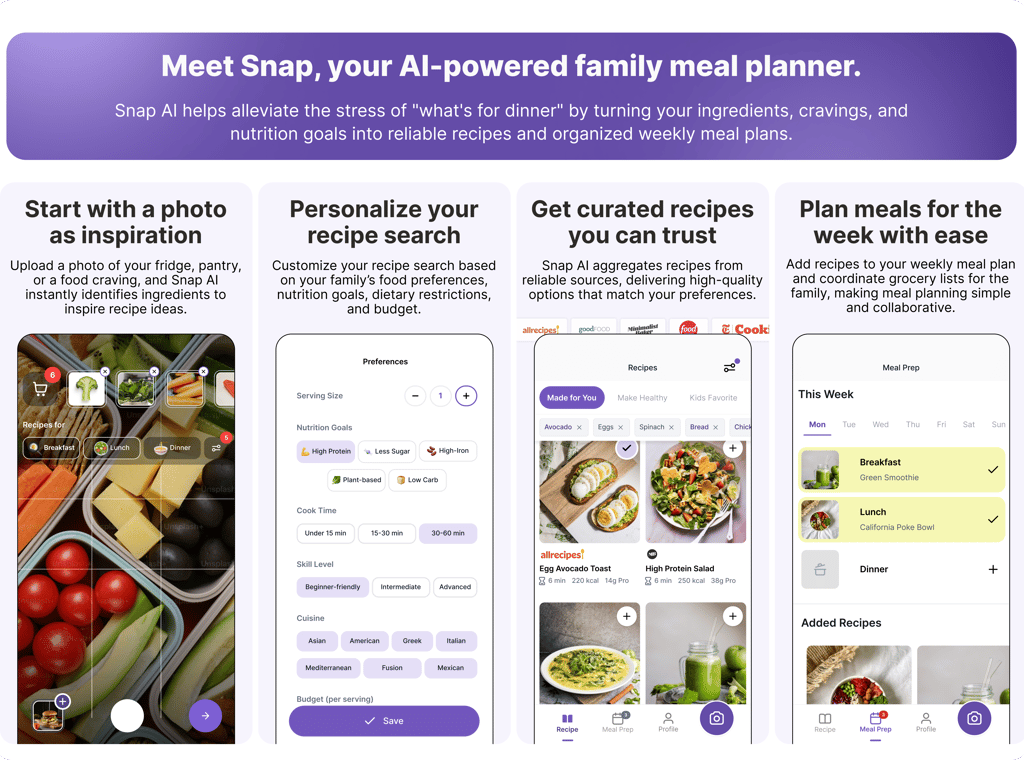
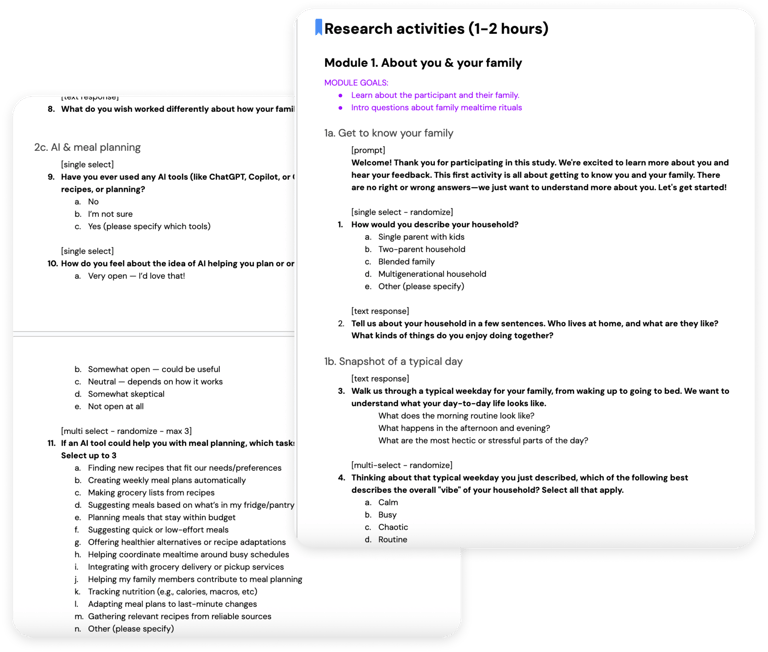
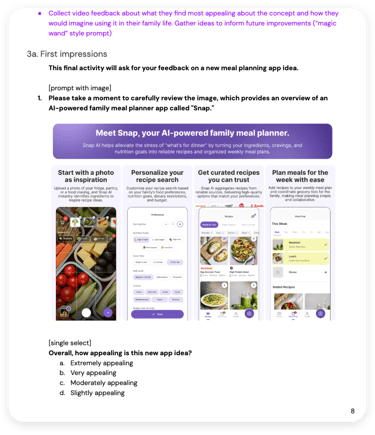
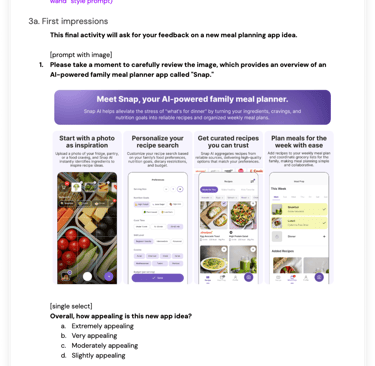
After identifying the UX challenges, we consolidated the flow into a single, flexible interface and completed an MVP. Instead of testing each screen individually, we created a one-pager showcasing the four main screens, explaining the benefits of each, and allowing users to understand the overall experience quickly.
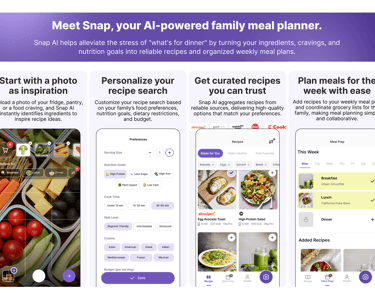
We used DScout to recruit qualified participants, targeting:
Families who cook regularly
Users with children (primary meal planners)
Participants who trust and feel positive about AI
We disqualified participants who didn’t fit the target audience or were skeptical of AI, to ensure feedback was relevant.
Participants answered a mix of basic and in-depth questions before seeing the one-pager, including:
Do you meal prep?
Who does most of the cooking?
What tools and processes do you use for cooking?
What do you like and wish for in a meal planning app?
Team Goal & One-Pager Approach
User Testing Approach
Our goal was to validate the core feature without distractions from design details. Full prototypes often make users focus on fonts or flow, derailing feedback. The one-pager kept attention on whether the feature is useful, valuable, and helpful for their family, giving us clear product validation.


Targeting attributes


Figma mvp design
Age: 25-55
Country: United States
Household income: $75k+
Location type: Urban or Suburban
Employment: NOT retired
Parental status: Parent/guardian to children under 18 living at home
Household composition: With partner/spouse + child

User Feedback
Understanding Users Through Their Words
"So if somehow I could take a picture of my cupboard, and it would document everything I have or even if I had to manually input it, and then I could it would remove it as I used a recipe."
Suggesting meals based on what’s in my fridge/pantry
52%
The top preferred use cases for AI support with meal planning include
(before showing users the one pager)
Suggesting quick or low-effort meals
"If I could just save time and reduce our stress and just help everyone just be happy and eat well, it would be really good for our household."
Finding new recipes that fit our needs/preferences
"So planning meals that, satisfy everyone can be a little hard sometimes. So I would want the AI to suggest meals that balance all of our preferences."
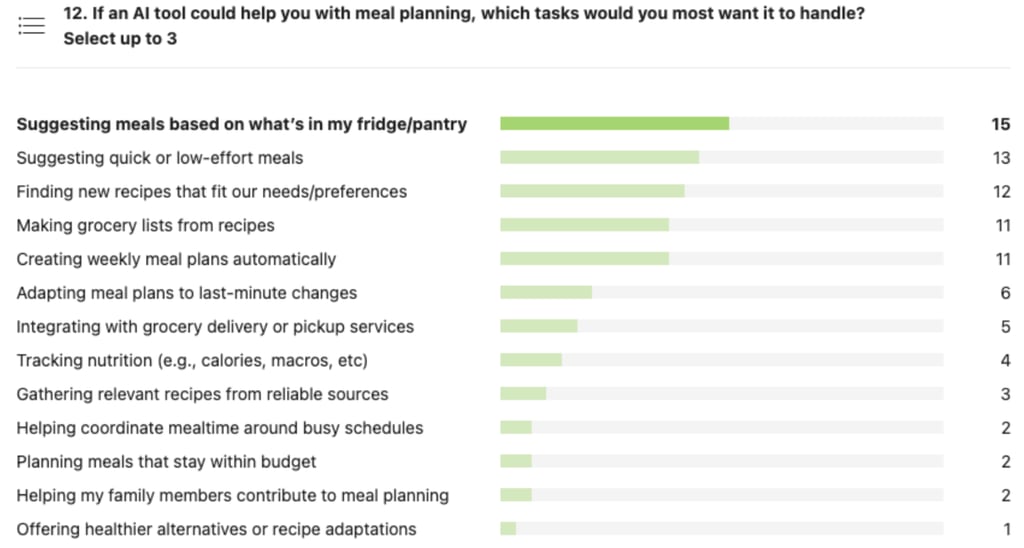

45%
41%


"The fact that it can generate things I already have in my fridge is very appealing, so I don't waste any food."
Top 3 preferred features that mentioned by users.
(after users reviewed the one pager)
Use what (ingredients) you have
"So if somehow I could take a picture of my cupboard, and it would document everything I have or even if I had to manually input it, and then I could it would remove it as I used a recipe."
"I really like the 'personalize your recipe search.' Seeing something like high protein really catches my attention. It makes me think that the AI planner could give me helpful recipes to accomplish my health goals."
One-shot inspiration
"What stands out most to me as I see this for the first time is the ability to take a picture of what’s in your fridge and have AI help create a meal plan."


Survey Respondent
Customize your recipe search to fit specific budgets, nutrition goals, or dietary needs.
Generate meal ideas based on what’s already in your fridge or pantry.


Personalized recipes
Take any idea or image and instantly turn it into a recipe or meal plan.
likely to try the app and find it appealing.
97 %
90 %
are willing to pay for this app.
What We Learned From User Interviews
79 %
feel this app idea is very unique. 69% have never heard of an app like this before.
$6-10/month is the most popular price point (41% of respondents).
Users believe the app can save time, reduce meal-planning stress, and offer helpful personalized recipes based on what they already have at home.
Users highlighted the app’s unique ability to generate personalized recipes from pantry items or photos, something they haven’t seen in other meal planners. This AI-driven “start with what you have” approach stood out as the key differentiator.


How Feedback Informed the Next Iteration
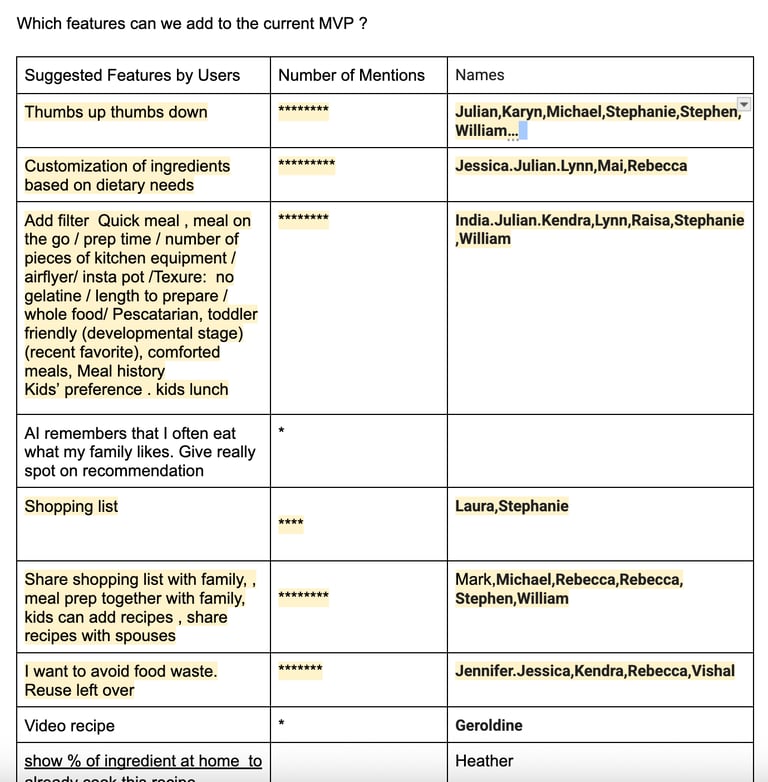
The insights from our users serve as a lighthouse, guiding us toward a better UX. Reading and watching their feedback was both exciting and inspiring. By incorporating these insights, we can continuously refine our design and create products truly centered on users’ needs.
DESIGN OPPORTUNITIES
Allow users to thumbs up or down generated recipes to improve personalization.
Support extensive customization, reflecting not just preferences but also dislikes.
Learn from meal history to understand what users and their families like and dislike.
Generate shopping lists and suggest ways for family members to contribute ingredients.
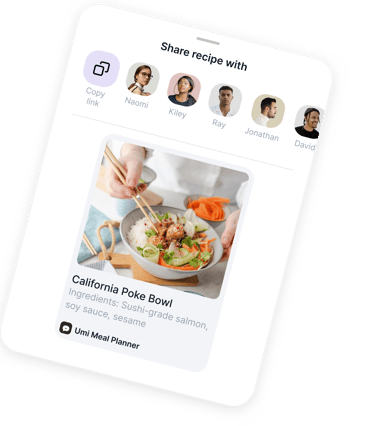
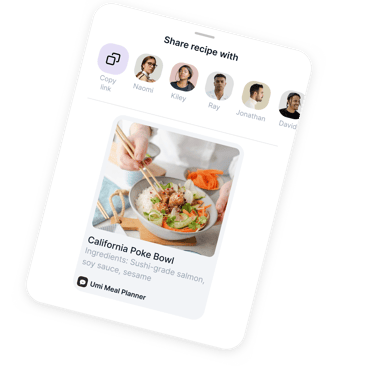
Share recipes easily with spouses and other family members.
Final (Updated) Designs
These screens highlight key updates based on user interview insights, focusing on what matters most to them.


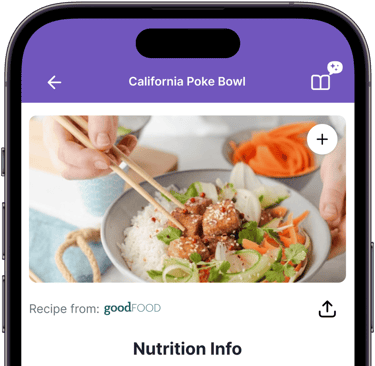





AI-Powered Recipe Discovery
Finds recipes that match ingredients users already have at home.
Recipes come from reputable cooking sites with high reviews, ensuring tasty results.
Users can filter recipes by what they want or need to avoid, a feature users valued highly in research.
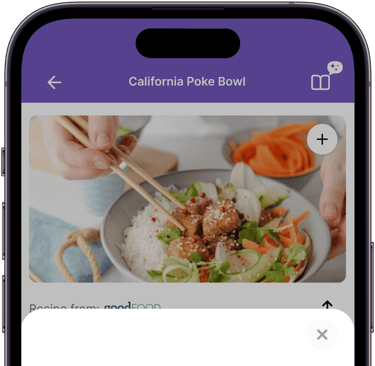
Recipe Details & Collaboration
Shows ingredients, instructions, and nutrition info
Highlights what percentage of ingredients users already have.
Users can check off ingredients, see who’s bringing what, or buy missing items via Instacart.
Recipes can be shared with others cooking together.
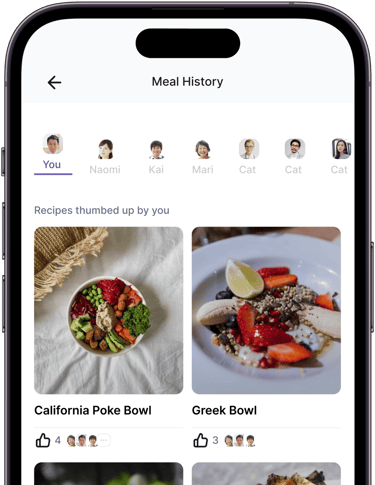
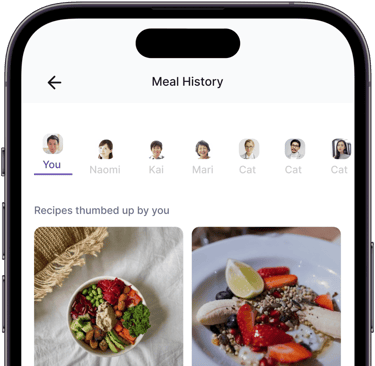
Recipe Voting & Family Preferences
Users can thumbs up or down recipes, saving likes to their meal history.
Helps AI learn family preferences and prioritize popular recipes.
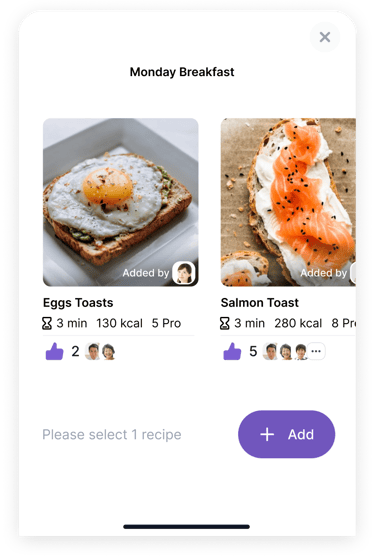
Supports meal planning by showing which recipes are most liked by the family.



Case Study Summary
Families often struggle to plan meals that everyone will actually enjoy, leading to stress and repetitive dishes. Through user interviews, surveys, and research, I discovered that extreme customization and family collaboration were the most important needs.
The design solution includes AI-generated recipes from reputable sites, advanced ingredient and dietary filters, and family voting on preferences. These updates allow families to find meals everyone will enjoy, contribute to planning, and save time, while helping AI learn individual and family tastes.
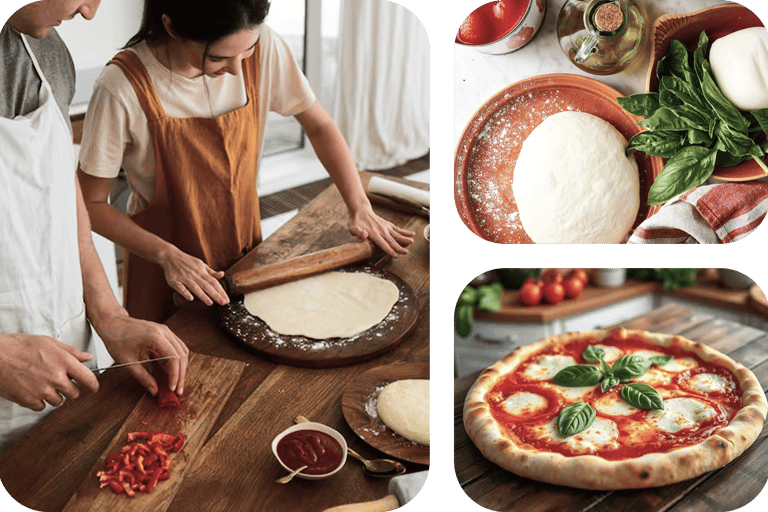


See how I designed a meal planning tool for families—
view the full case study on desktop.